 Pageside
Make any site look the way you want
Write CSS for the site you're on — Pageside remembers it and re-applies it on every visit. Plus an element picker & hider, read-aloud, private per-site notes, and a tab organizer. All in one small panel.
Everything, organized around the site you're on
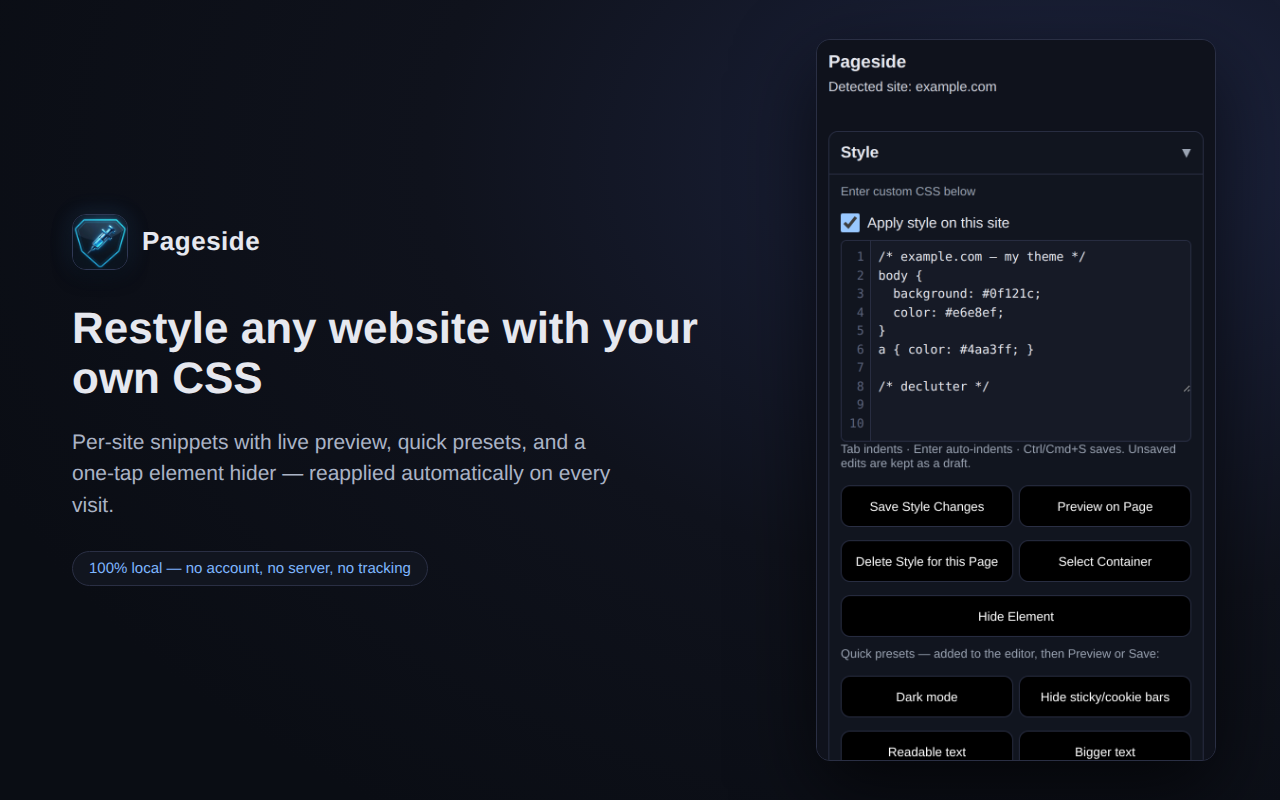
Per-site CSS that sticks
Save a stylesheet per site and it re-applies automatically on every future visit. Live preview before saving, a per-site on/off switch, and quick presets: dark mode, hide sticky & cookie bars, readable text, bigger text.
Point, click, gone
The element picker copies any element's exact CSS selector to your clipboard. Hide Element removes a banner, overlay, or nag permanently with one tap — undo any time by deleting the saved rule.
Read pages aloud
Text-to-speech for the selected text or the whole article, with an adjustable speed slider. Hands-free reading for long pages.
Private site notes
A notepad per site that auto-saves as you type, stays on your device, and reappears whenever you're back. Never included in exports.
Password generator
Strong passwords and passphrases from the browser's cryptographic RNG, with a live strength meter. Nothing is ever stored.
Tab organizer
Sort your open tabs by domain, title, or URL. Group same-site tabs, close duplicates, and jump to any tab across all windows.
Private by construction
Nothing leaves your device
No server, no telemetry, no accounts. Styles, notes, and settings live only in your browser's local extension storage — uninstall and they're gone.
No remote code
Every line of code ships inside the extension package. There are no network calls, no analytics SDKs, and no remote configuration.
Nothing to hide
Free and MIT-licensed, with every feature included — nothing is locked behind a payment. Read the privacy policy — it's short, because there's nothing to disclose.
On your phone too
Pageside runs on Android Chromium browsers with extension support (Kiwi, Mises, Lemur, Yandex). Download the dedicated Android build (pageside-kiwi.zip) and follow the step-by-step mobile guide.